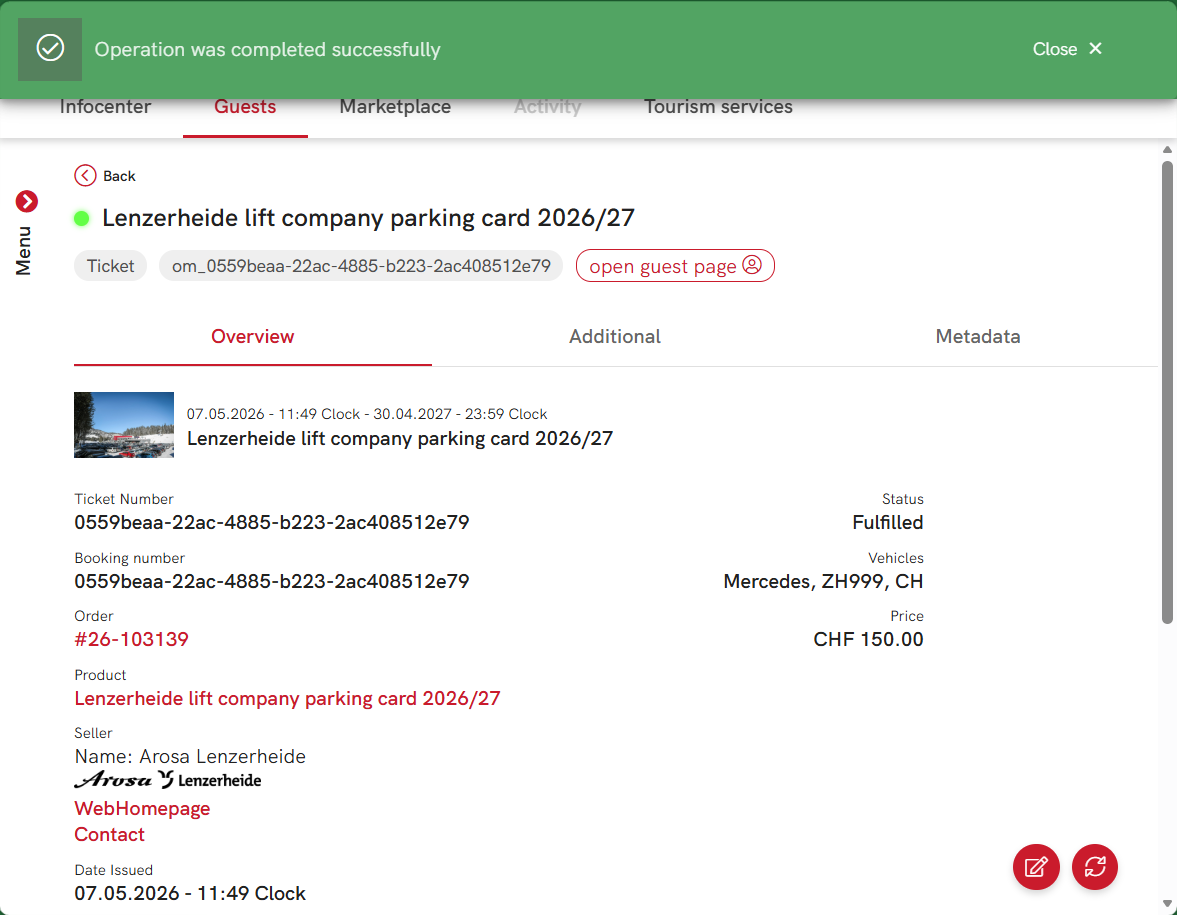
Make change in parking ticket
When it is necessary to make a change to an already booked parking ticket, it is possible to do it via Partner Portal on ticket details page.
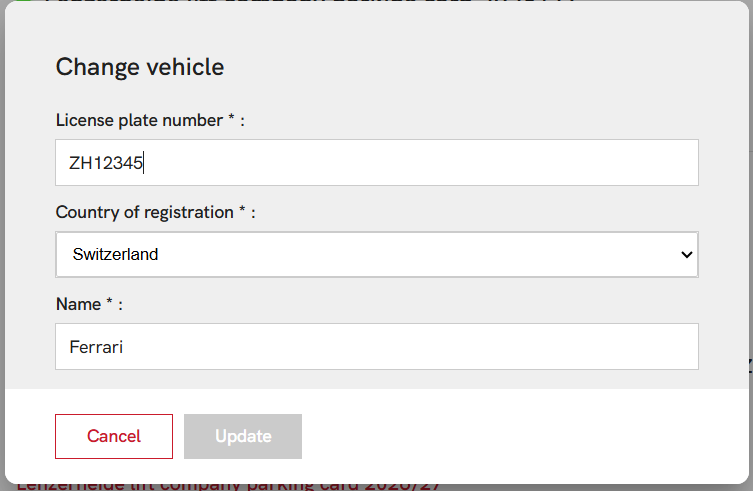
Fields which can be modified
- License plate number
- Country of registration
- Name
How to change parking ticket
- Go to the Partner Portal.
- Navigate to the parking ticket which should be changed.
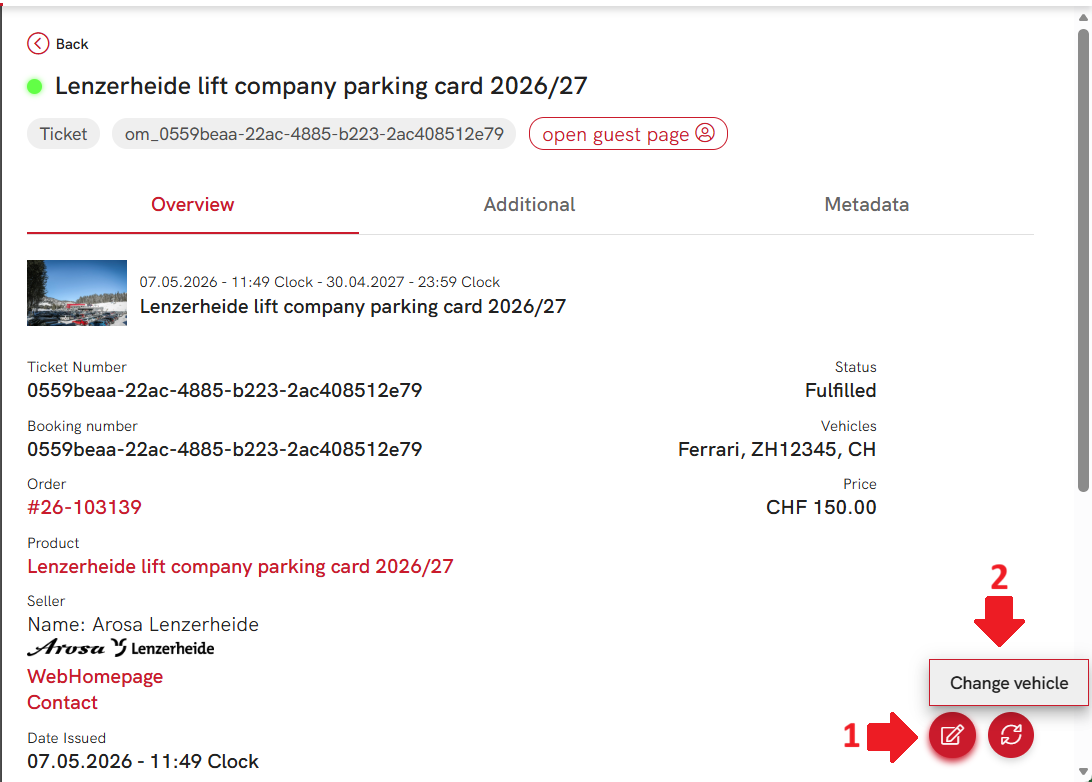
- Click on the "Change" button.
- In the pop-up form change the necessary fields and click on "Update" button.
- After the change is applied, the new information will be shown on the ticket details page.